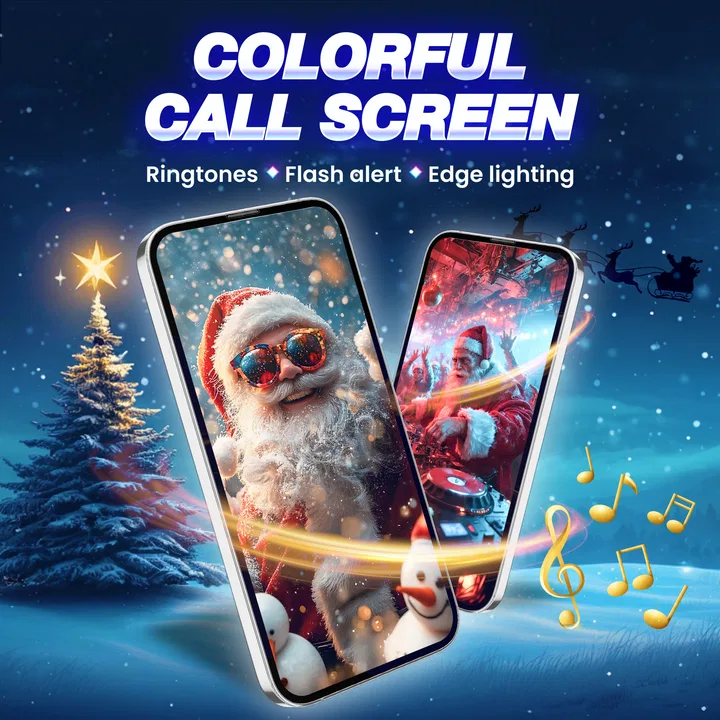
Call Screen & Ringtones Music
- 4.4
- Rating
- 10.00M
- Installs
- Free
- Price

 Analysis by App-foxy
Call Screen & Ringtones Music is a personalization app from WECHOICE MOBILE that changes the way incoming calls look and sound. I approached it as someone who wanted more than the standard ringtone and plain call display, but I also paid attention to how practical the experience feels when a call arrives at an inconvenient moment. The app combines visual call-screen effects, flash alerts, and ringtone music in one place, so its appeal is easy to understand: it makes an ordinary phone call more noticeable and more personal.
My overall impression is that it works best for people who enjoy expressive phone customization and need a stronger visual cue than a conventional ringtone provides. It is free to install, aimed at Everyone, and currently listed as version 2.1.4 for devices running Android 8.0 or later. There are optional in-app purchases ranging from $0.99 to $24.99 per item, which matters if you are trying to keep the experience completely free. I found the concept enjoyable, but the real question is whether the extra decoration improves your daily routine or simply adds another layer to manage.
How the app feels to use in everyday situations
I focus here on what it is like to live with a more distinctive incoming-call screen, beyond the initial novelty. The key test for me is whether the visual cue helps me notice a call at the right moment without making the phone harder to use. From there, the practical value depends on where the phone sits and how much attention I want an alert to draw.
You May Also Like

 Blood Strike: 2.5 Anniversary
Blood Strike’s Loadouts Turn Every Drop Into a Tactical Gamble
A close look at Blood Strike’s custom loadouts: how fast access to signature weapons reshapes its battle royale rhythm, rewards preparation, and narrows the gap between fights.

 Pandora - Music & Podcasts
Pandora’s Music Is Easy to Start, but Harder to Recover
Pandora’s strength is its low-effort path from a seed to a station. Its weak spot is how much confidence it asks you to place in connection, setup, and quiet recovery.

 8 Ball Pool
 Is Built on Rivalries, Rematches, and Routine
A close look at the rivalries, rematches, shared routines, and unanswered safety questions that turn a quick pool match into a persistent mobile community.

 Samsung Music
’s Quiet Strength Is Playing What You Already Own
Its reach comes less from spectacle than from dependable access to a personal library. That simplicity is both the app’s strongest retention engine and its ceiling.

 AccuWeather: Weather Radar
AccuWeather Review: A Quick, Clear Forecast for Everyday Decisions
For everyday plans, the best forecast is the one you can understand quickly. AccuWeather makes rain timing, radar, and local conditions easy to act on, with a few trade-offs.

 Hill Climb Racing
Why Hill Climb Racing Still Turns Crashes Into One More Run
A tiny car, a bumpy hill and one more upgrade: Hill Climb Racing keeps resurfacing because its simple chaos makes every near-miss feel personal.
More From Our News Desk



Readability starts with choosing the right visual style
The first thing I noticed is that a personalized call screen can be useful for recognition, not just decoration. A distinctive visual treatment may help me identify an incoming call before I reach the phone, especially when the device is across a room or resting face-up on a desk. That is more helpful than it sounds: I can associate a particular look with the kind of alert I want to notice quickly, while keeping other phone sounds less intrusive.
At the same time, visual effects are not automatically readable. A busy animation, bright background, or highly decorative screen can compete with the caller information. For that reason, I would choose a design with clear contrast and a relatively calm center area if I depended on the caller name being easy to find. The most attractive option is not necessarily the most usable one. In my experience, the best setup is the one that lets the caller identity remain the first thing I see.
Navigation is most comfortable when I treat the app as a customization tool rather than an all-in-one replacement for the phone app. I would browse the available styles, select a look, test it with a friend’s call, and then leave it alone for a while. That workflow prevents me from constantly changing settings without knowing whether the result is actually easier to notice. It also gives me a chance to check whether the chosen effect feels clear in both bright and dim surroundings.
A useful rule is to judge every design from a normal arm’s length, not only while holding the phone close. A screen that looks impressive during setup may be too visually crowded when viewed quickly from a table. This is particularly relevant for people with reduced visual acuity, sensitivity to motion, or difficulty processing several moving elements at once. I would favor simple, high-contrast choices and avoid treating animation as a substitute for readable information.
Personalization can support recognition, but it does not replace basic phone controls
The app’s call-screen focus gives it a different role from a standard ringtone picker. Usual phone settings are generally better for quiet, dependable configuration: choosing one ringtone, controlling vibration, and keeping the incoming-call interface familiar. Call Screen & Ringtones Music is more appealing when I want the alert itself to have a recognizable visual identity.
That difference creates a practical trade-off. A conventional phone setting is usually easier to understand because it has fewer choices and is already integrated into the operating system. This app can offer a more expressive result, but I need to spend time deciding which effect works for me. If I only want a louder or different ringtone, the built-in settings may be the faster and less distracting option.
For someone who regularly misses calls because the phone is out of sight, the visual emphasis may be worthwhile. For someone who finds flashing or animated content uncomfortable, the same feature may be a poor match. I would not assume that more noticeable means more accessible. Noticeability depends on the person, the environment, and whether the visual presentation remains comfortable over repeated use.
Motor and sensory considerations during setup
Customization can be especially helpful when a person has difficulty responding to a subtle sound or needs a more obvious prompt. A flash alert may provide another way to notice an incoming call, while a distinctive ringtone can help separate calls from other notifications. I see this as a useful combination for situations where hearing a standard ringtone is unreliable, although I would still test it in the places where I normally keep my phone.
There is an important sensory limitation: a visual alert can be too intense. Bright flashing, rapid movement, or a loud musical ringtone may be uncomfortable for people who are sensitive to light or sound. The app’s premise encourages attention-grabbing effects, so I would use restraint rather than automatically selecting the most dramatic option. A calmer visual design paired with a familiar sound can be more sustainable than an alert that is exciting for a day and irritating after a week.
Motor access also depends on how much interaction is required after installation. If I need to make frequent adjustments, small controls or crowded choices could become tiring for someone with limited dexterity. My recommended workflow is to configure one dependable style, verify it with a test call, and avoid unnecessary repeated changes. That reduces the number of precise taps needed in daily use and makes the app function more like a set-and-forget tool.
One non-obvious benefit is that a personal visual pattern can reduce the need to pick up the phone immediately. If I can recognize the alert from a distance, I can decide whether to answer without rushing to interact with the screen. This can help when my hands are occupied, when I am cooking, or when I am assisting someone else. It is not a replacement for hands-free calling or other accessibility tools, but it can make the first moment of an incoming call less dependent on quick touch accuracy.
Situational access: where the effects help and where they do not
The strongest everyday scenario for me is a phone resting on a desk during work. A normal ringtone may blend into other sounds, while a visual call effect can draw attention without requiring me to keep checking the display. I can glance over, identify that a call is coming in, and decide whether it deserves an immediate response. This is more useful than a decorative lock-screen change because it connects the customization directly to a moment when timing matters.
Another good situation is a noisy household. If several devices are producing alerts, a recognizable ringtone or visual treatment can make my phone easier to distinguish. I would still keep the volume at a comfortable level, since a louder alert is not automatically better. The point is identification, not maximum intensity.
In a quiet public place, however, the balance changes. A musical ringtone or conspicuous flash may attract unwanted attention. I would switch to a restrained setup before entering a library, meeting, clinic, or similar environment. This is one reason I would not rely on a single dramatic style all day. The app is most practical when I treat personalization as context-dependent rather than permanent.
The flash alert also deserves careful judgment. It may be useful when the phone is visible but sound is difficult to notice, yet it cannot help if the device is covered, placed screen-down, or outside the user’s line of sight. It may also be unsuitable in dark rooms or for anyone who finds sudden light distracting. I would test the setting in daylight and at night, then keep it only if it improves awareness without causing discomfort.
People who use headphones, hearing devices, or other personal audio equipment may appreciate having a visual cue available, but the app should be considered one part of a broader setup. The phone’s own vibration, system notification behavior, and call controls still influence whether an alert is noticed. I would not assume that installing this app alone solves every missed-call problem.
What the free experience means in practice
The app is free, which makes it easy to try without committing money first. That is important for a personalization product because the value is subjective: one person may enjoy a lively call screen, while another may prefer the phone’s original interface after a brief experiment. I would install it, select a modest design, and test it through a real call before considering any purchase.
Optional purchases are available per item, with prices beginning at $0.99 and reaching $24.99. I would be cautious about paying for a large collection before understanding how often I will actually change the call screen or ringtone. For most users, the practical benefit comes from finding one or two comfortable choices, not from collecting every visual variation. The purchase decision should therefore be based on repeated daily usefulness rather than novelty.
This pricing structure can also affect inclusive use. A person may be interested in a particular style because it is easier to notice, but if that option is part of a paid selection, the free experience may not meet the person’s needs. Since the app is primarily about customization, I would not treat optional paid content as essential to basic phone access. Anyone who needs reliable call awareness should first evaluate the phone’s built-in sound, vibration, and display controls.
Remaining barriers that affect comfort and reliability
The largest barrier is the tension between visual impact and clarity. Effects designed to catch attention can create glare, motion, or clutter. That is not a flaw for every user, but it means the app requires personal tuning. I would avoid assuming that a popular-looking design is suitable for someone with migraines, motion sensitivity, low vision, or concentration difficulties.
Another barrier is context switching. A call screen that feels helpful at home may be awkward at work or in public. If the app makes it difficult to maintain different habits for different environments, I may end up disabling the feature rather than managing it. The more dependent I become on a particular alert, the more important it is to verify that it behaves comfortably in the places where I actually receive calls.
There is also a privacy and attention consideration in the visual presentation. A conspicuous incoming-call display can reveal that the phone is receiving a call to people nearby. Some users will not care, but others may prefer a discreet screen. For them, the standard phone interface may be the better choice. Personalization should include the freedom to be less noticeable, not only the ability to stand out.
I would also keep expectations realistic about compatibility with the phone’s normal behavior. Call handling ultimately depends on the device and its operating system, so I would test the app after installation rather than assuming every effect will behave identically on every handset. A test call is a simple but valuable step: it confirms whether the visual alert is easy to recognize, whether the sound is comfortable, and whether answering the call still feels familiar.
For users who need strong accessibility support, a dedicated accessibility feature built into the operating system or a specialized assistive tool may be more appropriate. This app is centered on personalization, not on replacing every system-level accommodation. I see it as a supplement for people who want a more visible or distinctive incoming-call signal, not as a complete accessibility solution.
Who will enjoy it, and who should choose something simpler?
I would recommend Call Screen & Ringtones Music to someone who likes changing the phone’s appearance, often misses calls when the device is nearby but not in hand, or wants a recognizable combination of visual and audio alerts. It is also a good fit for people who enjoy experimenting with ringtones and want the incoming-call moment to feel more personal than the default presentation.
I would be more hesitant to recommend it to someone who dislikes animated interfaces, needs a very discreet phone, or wants the fewest possible settings. The built-in phone controls will usually be better for a quiet, predictable experience. They are also the safer starting point for anyone who is unsure whether flashing effects or musical alerts will be comfortable.
The app’s audience is broad: it has an Everyone age rating, an average rating of 4.4 from around 36 thousand ratings, and more than 10 million installs. Those figures suggest that the idea has reached a substantial audience, but they do not remove the need for individual testing. Personalization is unusually dependent on taste, sensory comfort, and the places where a phone is used.
My inclusive verdict after living with the concept
I like the app most when I use it deliberately. A calm call-screen design, a recognizable ringtone, and a carefully tested flash alert can make incoming calls easier to notice without forcing me to keep checking the phone. The strongest insight is that the app’s value is not really the visual novelty; it is the ability to create a signal that fits a specific person and situation.
Still, I would not enable every effect at once or assume that maximum brightness and volume equal better access. I would start with one clear style, test it from across the room, try it in a quiet and noisy setting, and then adjust or remove anything that causes strain. That approach makes the app more useful for different abilities and routines while avoiding the common trap of choosing an alert only because it looks impressive during setup.
As a free personalization app from WECHOICE MOBILE, it is easy to explore, and the current version 2.1.4 supports a modern enough range of Android devices for many users. The optional purchases mean I would keep an eye on what is genuinely useful before spending money. My final recommendation is positive but selective: try it if you want a more noticeable and expressive call experience, but choose the simplest comfortable configuration. If your priority is discreet, system-integrated reliability, the usual phone settings remain the better answer.
FAQs for Call Screen & Ringtones Music
01What features does the Call Screen & Ringtones Music app offer?
The Call Screen & Ringtones Music app provides customizable call screens and a vast library of ringtones. Users can personalize their call interface with vibrant themes and animations. The app also allows you to set unique ringtones for different contacts, enhancing your calling experience with high-quality audio and visual effects.
02Is the Call Screen & Ringtones Music app free to use?
The app is free to download and offers a range of basic features at no cost. However, it also includes in-app purchases and subscription options for premium features. These may include exclusive ringtones, ad-free experience, and advanced customization options for call screens.
03How can I customize my call screen using this app?
Customizing your call screen is simple. After installing the app, browse through the available themes and animations. Select your preferred style, and apply it to your incoming call interface. You can also preview how it looks before finalizing your choice, ensuring it fits your personal taste.
04Are there any privacy concerns with the Call Screen & Ringtones Music app?
The app requires access to your contacts and phone settings to function properly. While it claims to protect user privacy, it’s always wise to read the privacy policy thoroughly. Ensure that you are comfortable with the data being accessed and stored by the app before installation.
05Can I use my own music as a ringtone with this app?
Yes, the app allows you to use your own music files as ringtones. Simply upload your desired track to the app, and set it as your ringtone. This feature enables you to personalize your ringtone library with your favorite songs, adding a unique touch to your calls.
Pros
- Customizable ringtones for personal touch.
- Easy-to-use interface for all ages.
- Wide range of music genres available.
- Frequent updates improve functionality.
- Supports both Android and iOS devices.
Cons
- Contains in-app ads that can be intrusive.
- Limited free content without subscription.
- Some features require a strong internet.
- Occasional crashes reported by users.
- Music library could be more extensive.

Call Screen & Ringtones Music
Gallery